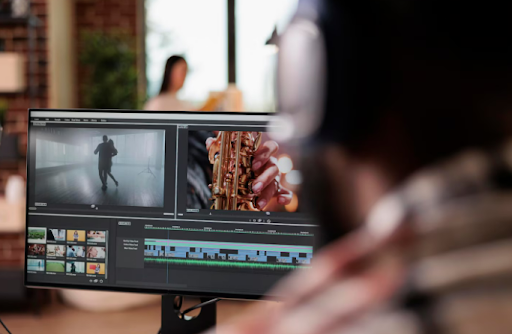
Video has emerged as one of the most influential storytelling mediums in the present digitally-first society. Students are using video more and more to present their ideas, whether it is in a class presentation, a YouTube vlog, or a brief documentary for their final project. However, a brilliant idea by itself is inadequate; editing is where the magic happens. Video editing tutorials can help with that. Student video projects can transform from decent to extraordinary with the right guidance.
This post will guide you through the essential video editing tutorials you require to transform a student video project.
Why Editing Is Important: It is Not Just About Cutting Video
Editing is more than just adding background music or cutting clips. How your video is decanted depends on the way of narrating the message. Even with great material, a poorly edited video can come across as tedious, unclear, or unethical.
Understanding editing can help students with their video projects, particularly those students with limited knowledge and experience.
- Improves the response and presentation of the video.
- Allows ideas to flow naturally from one to the next.
- Use effects, voiceovers, and music for better narrative writing.
- Be professional when submitting your work, whether it be academic or creative.
- A rough idea and a polished final product are essentially connected by editing.
How to Make A Student Video Project Stand Out
Make a plan before editing
To prevent sloppy editing later, start with a clear plan. Create a story flow map in the form of a script or outline. Visualising your shots can be helped by even a simple storyboard. For convenience, arrange your files into folders (audio, video, and images). You will save time and avoid confusion when editing with this structure.
Be Brief
Cut out any short video that does not add value and stick to the main points. An effectively handled edit keeps viewers interested every moment. Unless otherwise directed, aim for two to five minutes. Clarity should always come before quantity.
Make use of B-Roll Sensibly
A static videos monotony can be broken up with B-roll footage. It improves your narrative with images, like product shots, landscapes, or a student at work. Use these things to create visual interest and smooth transitions. For best impact, make sure it fits your story or VoiceOver.
View Tutorials in Parts
Avoid trying to grasp everything all at once. Focus on just one editing way at a time, like adding transitions or cutting videos. Learning is made easier by watching brief, subject-specific video editing tutorials. To strengthen comprehension, put each tip into practice right away. To prevent fatigue, take breaks.
Export with Superior Quality
Make sure your final project has been uploaded with a minimum resolution. This ensures that your video will display clearly on all screens, particularly when it is projected or posted online. Before exporting, make sure your format and resolution are all correct. A high-quality export adds an appealing appearance to your project.
Student-Friendly Software and Tools
Students can use free and simple-to-use resources to create impressive video projects.
- CapCut is a good mobile editing application for text, music, and formatting.
- For experienced users, DaVinci Resolve provides high end tools like audio editing and colour grading.
- For school projects and presentations, iMovie is a simple to operate software that is great for Mac and iOS users.
- For Windows and Linux users, Shotcut is a no-cost, free to use alternative with a user friendly interface.
Students can focus on their creativity while learning the basics of video production because of these applications and software, which make editing available without the need for costly software.
Conclusion: Transform Your Video Project
Making video projects is more than just a skill to possess-it is a means of communication and creative expression. Video editing can improve the simplicity, detail, and reach of your video project, whether you are focusing on your academic assignments or social media posts. if the students have access to the appropriate video editing tutorials, they can improve the speed in which a project can be completed.
Every editing decision, from reducing clips to introducing sound effects and using visual changes, affects how the receivers reacts to the video. A good edited project showcases your creativity and presentation skills as well.
What is the best? You do not need to be an expert in everything right away. Anyone can, at ease, create video projects that looks unique with constant practice and focused learning. Try out different ways of editing videos and presentation to improve your editing skills. The editing work is where the magic really happens, and your creativity deserves to be showcased and appreciated.
REFERENCES
- https://community.intersystems.com/post/how-shoot-good-video-article-contest-bonus-part-3-what-consider-during-editing
- https://www.proglobalbusinesssolutions.com/video-editing-tips/
FAQ’s
Q1. What are video editing tutorials and why are they useful for students?
Video editing tutorials are step-by-step guides that teach editing skills. They help students turn raw footage into polished projects.
Q2. How can video editing tutorials improve the quality of student video projects?
They show students how to cut unnecessary clips, add effects, and create smooth transitions, making projects more engaging.
Q3. Are free video editing tutorials good enough for beginners?
Yes, many free tutorials cover basic editing, simple transitions, and audio adjustments, which are ideal for new learners.
Q4. Where can students find easy-to-follow video editing tutorials online?
Students can explore YouTube, educational blogs, and platforms like Skillshare or Coursera for beginner-friendly tutorials.
Q5. Do video editing tutorials cover both basic and advanced editing skills?
Yes, tutorials often start with trimming clips and gradually move toward advanced skills like color correction and sound design.
Q6. How much time does it take to learn from video editing tutorials?
The time varies, but students can usually grasp basic editing in a few hours and practice advanced techniques over weeks.
Q7. Which student-friendly apps are commonly featured in video editing tutorials?
Tutorials often highlight CapCut, iMovie, Shotcut, and DaVinci Resolve as student-friendly editing tools.
Q8. Can video editing tutorials help with storytelling in class projects?
Yes, tutorials guide students on structuring content, adding voiceovers, and pacing, which improves storytelling flow.
Q9. Are video editing tutorials different for YouTube videos versus academic projects?
Yes, YouTube-focused tutorials emphasize engagement and style, while academic tutorials stress clarity and professionalism.
Q10. How do video editing tutorials teach students about B-roll and transitions?
They explain how to insert B-roll for variety and demonstrate transitions that make videos smoother and more appealing.
Q11. Do most video editing tutorials explain how to export videos in high quality?
Yes, tutorials usually include exporting tips so projects look sharp on both large screens and online platforms.
Q12. How can video editing tutorials boost creativity and presentation skills?
By experimenting with edits, effects, and music, students build creative confidence and improve their project presentation.
Q13. What should students expect from step-by-step video editing tutorials?
They can expect clear instructions, visual demonstrations, and practical examples for both beginners and advanced learners.
Q14. Do video editing tutorials require professional software to practice?
No, many tutorials use free or low-cost software, making editing accessible without expensive tools.
Q15. How do consistent video editing tutorials help students gain confidence?
Regular practice with tutorials helps students master techniques, making each project more polished than the last.
Penned by Nishant Bajaj
Edited by Sneha Seth, Research Analyst
For any feedback mail us at [email protected]
Transform Your Brand's Engagement with India's Youth
Drive massive brand engagement with 10 million+ college students across 3,000+ premier institutions, both online and offline. EvePaper is India’s leading youth marketing consultancy, connecting brands with the next generation of consumers through innovative, engagement-driven campaigns. Know More.
Mail us at [email protected]