
Creating Interactive Timelines for History Projects
Topics: Digital Timeline Tool, Visual History Learning
Introduction
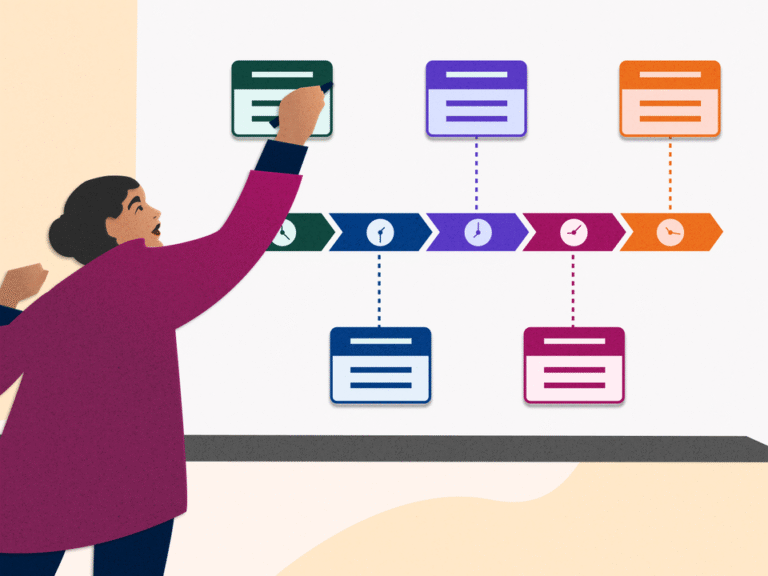
An interactive timeline is a chronological representation of events, people, or periods in history that allows users to actively engage with the information presented. In contrast to static timelines, interactive timelines let users click, hover, or utilize other interactive elements to explore particular events, study details, and access multimedia information such as photographs or videos. These timelines are used in a variety of fields to help people quickly and effectively process complex information. They function as dynamic visual frameworks for depicting sequences such as the historical development of research projects, business trajectories, biological progressions, or customer journey mappings. They are especially useful in the field of history because remembering a large number of dates and events can cause confusion and cognitive fatigue. Learners can recognize historical patterns, establish causal linkages, and create cohesive mental narratives through chronological visualization and visual history learning.

History at Your Fingertips: Build a Timeline That Speaks Volumes
1. Select the software.
It is crucial to choose software that fits your project needs and level of expertise before beginning to create your interactive historical timeline. Simple design features can be found in easy-to-use applications like Canva, Venngage, or Visme for beginners, while Google Slides or Microsoft PowerPoint may be preferred by those who want accessibility and flexibility. These platforms are user-friendly and can serve as an effective digital timeline tool for educational projects.
2. Compile what you have, such as text, images, and videos.
Before starting the timeline, gather all the necessary materials such as text, pictures, and videos. Planning and organizing these resources in advance simplifies the creative process and ensures that your historical events are represented in an accurate and visually engaging way. Proper preparation helps in maintaining consistency and enhances the clarity of the overall presentation.
3. Design your timeline’s fundamental structure.
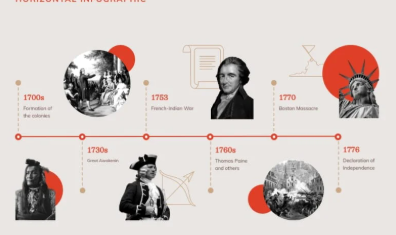
The first step in creating the structure of your timeline is to choose a format that best fits your material, whether vertically or horizontally. Arrange the events chronologically or thematically to maintain logical flow. Use clear fonts, appropriate colors, and balanced spacing to improve readability. Incorporating icons or visual markers for each event adds aesthetic value and makes navigation smoother. Leaving sufficient space for photographs or short video clips ensures that the design remains clean and organized. A well-structured and consistent format helps viewers easily follow the sequence of events, promoting a better understanding of history through visual history learning.
4. Include interactive features such as pop-ups and locations.
Adding interactive elements such as clickable pop-ups, embedded images, short videos, or audio recordings can make your timeline more dynamic and engaging. You can also embed maps with location markers to indicate where specific events occurred, giving the timeline a geographical perspective. These interactive components enrich the learning experience and transform a traditional project into an immersive educational resource that can be developed using a digital timeline tool.
5. Check and review your timeline.
Before finalizing the project, test your timeline thoroughly to ensure it works smoothly across different devices. This step is especially important if the content will be viewed on mobile devices. Reviewing allows you to adjust multimedia placements, refine text readability, and verify that all interactive features function as intended. A detailed review ensures your digital timeline is both informative and visually coherent, supporting interactive and visual history learning.
Conclusion
In conclusion, creating an interactive historical timeline is not just about arranging events in sequence; it is about presenting history in a way that captures curiosity and encourages exploration. By combining thoughtful design, accurate information, and multimedia integration, learners and educators can use a digital timeline tool to transform static historical data into engaging visual narratives. This approach enhances comprehension, encourages critical thinking, and makes history come alive through the power of visual history learning.
References
[1] “15 Stunning Interactive Timeline Examples to Make Your Own.” [Online]. Available: https://share.google/HveWp2pRAYwu7ieqX. [Accessed: Aug. 14, 2025].
[2] “Interactive content: Interactive Timelines: History Comes Alive: Using Interactive Timelines in Education,” FasterCapital. [Online]. Available: https://fastercapital.com/content/Interactive-content–Interactive-Timelines–History-Comes-Alive–Using-Interactive-Timelines-in-Education.html?utm_source=chatgpt.com. [Accessed: Aug. 14, 2025].
[3] M. Nediger, “40+ Timeline Examples, Templates and Design Tips.” Venngage. [Online]. Available: https://venngage.com/blog/timeline-examples/. [Accessed: Aug. 14, 2025].
[4] L. Jones, “Create Interactive Timelines for Students.” ThingLink Blog. [Online]. Available: https://www.thinglink.com/blog/create-interactive-timelines-for-students/#:~:text=Creating%20an%20interactive%20timeline%20can,in%20mind%20when%20creating%20one. [Accessed: Aug. 14, 2025].
[5] K. Abbamonte, “The best presentation software in 2025. These PowerPoint alternatives go beyond the basics.” Zapier Blog. [Online]. Available: https://zapier.com/blog/best-powerpoint-alternatives/. [Accessed: Aug. 14, 2025].
[6] J. Birt, “How To Create a Timeline (With Steps, Example and Tips).” Indeed Career Guide. [Online]. Available: https://www.indeed.com/career-advice/career-development/creating-a-timeline. [Accessed: Aug. 14, 2025].
FAQs
Q1. What is the purpose of using a digital timeline tool in history projects?
A digital timeline tool helps students and educators organize historical data chronologically while making it interactive and engaging. It allows users to visualize connections between events, improving comprehension and retention.
Q2. How does visual history learning enhance students’ understanding of historical events?
Visual history learning enhances understanding by combining text, imagery, and interactive elements to make complex timelines more accessible. It helps students grasp cause-and-effect relationships and contextualize events more effectively.
Q3. What are some examples of digital tools that can be used to create interactive timelines?
Tools such as Canva, Visme, Venngage, ThingLink, and Google Slides are widely used. Each digital timeline tool offers features for integrating text, images, videos, and clickable links that support immersive learning.
Q4. Why are interactive timelines better than static ones for educational use?
Interactive timelines allow users to explore content through pop-ups, videos, and links, which makes learning more participatory. Unlike static charts, they support self-paced exploration and engagement in visual history learning environments.
Q5. How can teachers use digital timelines to encourage active learning in classrooms?
Teachers can assign students to create timelines as collaborative projects. Using a digital timeline tool encourages research, organization, and presentation skills, promoting active participation in visual history learning activities.
Q6. What elements should be included in an effective interactive timeline?
An effective timeline should include accurate dates, short event descriptions, relevant media such as photos or videos, and consistent formatting. Including interactive icons or location markers enhances engagement and supports meaningful interpretation.
Q7. Can visual history learning methods be applied beyond history subjects?
Yes, the approach can be applied in other disciplines such as literature, science, or business studies. A digital timeline tool can help visualize progressions, discoveries, or case studies in an interactive and visually appealing way.
Q8. What are common mistakes to avoid when designing an interactive timeline?
Common mistakes include overcrowding information, inconsistent formatting, and poor visual hierarchy. Testing the digital timeline on multiple devices ensures that all features function correctly and remain easy to navigate.
Q9. How do interactive timelines support collaborative learning among students?
Interactive timelines allow multiple students to contribute content, links, or images in shared projects. This collaborative use of a digital timeline tool fosters teamwork, discussion, and collective engagement with historical content.
Q10. How can visual history learning make historical research more engaging?
By integrating visuals, interactivity, and storytelling, visual history learning transforms traditional memorization into exploration. It turns data into narratives, encouraging curiosity and deeper understanding of historical progressions.
Penned by Iqra
Edited by Reeya Kumari, Research Analyst
For any feedback mail us at [email protected]
Transform Your Brand's Engagement with India's Youth
Drive massive brand engagement with 10 million+ college students across 3,000+ premier institutions, both online and offline. EvePaper is India’s leading youth marketing consultancy, connecting brands with the next generation of consumers through innovative, engagement-driven campaigns. Know More.
Mail us at [email protected]