
How Search Trends Can Help College Students Identify Better Content Marketing Ideas
Published: October 8, 2026
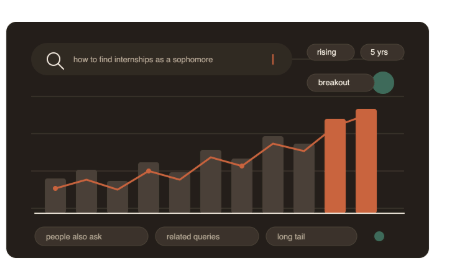
search trends
Most student marketers pick topics the same way they pick a Netflix show: vibes, plus whatever their friends mentioned last week.
Search trend data offers a cheaper alternative, because it shows you what people are actually typing into a box when nobody’s watching.
This article covers using Google Trends, Search Console, Reddit searches, and the “people also ask” box to find topics that have demand, how to differentiate between a rising trend and a dying fad, and why this all falls apart if you’re not careful.
The point is that search data won’t give you an idea, but it will protect you from wasting time trying to make something happen that nobody wants.
Introduction
Here’s a scene that happens on every campus. A student club or a startup side project decides it needs content. Someone opens a doc, everyone brainstorms for forty minutes, and the list you come up with is a mix of exciting-sounding ideas and ideas that are super easy to execute.
Then somebody writes a 1,500-word thing about “The Future of AI in Education”, it gets nine views, and you all quietly stop publishing by November.
The problem usually isn’t the writing. It’s that the topic was chosen in a vacuum.
Content marketing works when it meets an existing question at the moment someone’s asking it, and brainstorming in a room with four friends tells you almost nothing about what strangers are asking. Search trend data does, and unlike most marketing resources, a lot of it is free, which matters a lot when your budget is whatever’s left after textbooks.
So this is a walkthrough of how to use that data as an idea-generation engine rather than a validation checkbox. We’ll cover where the good signals live, how to read them without fooling yourself, what actually works in practice, and the specific ways students tend to get burned.
Why Search Data Beats Brainstorming (Most of the Time)
Search queries are unusual as a data source because they’re unperformed. Nobody types “how do I ask my professor for an extension without sounding lazy” to impress anyone. There’s no social filter on it. Compare that to a survey response or a focus group, where people tell you what they think a reasonable person would say.
That honesty is the whole value. When you look at what people search around your topic, you’re seeing the actual shape of their confusion, which is usually messier and more specific than the version you’d imagine.
There’s a second reason, and it’s structural. Search demand is roughly stable and predictable in a way that social virality isn’t.
A TikTok can do a million views because of timing and luck.
A page that ranks for a query people search every month keeps earning traffic in the background for years. For students, who tend to have more time than money and more consistency than reach, that compounding is the more realistic bet.
The three kinds of demand you’re looking for
Not all search interest is the same, and lumping it together is how people end up confused.
- Evergreen demand. Steady, boring, reliable. “How to write a cover letter” doesn’t spike or collapse; it just sits there being searched forever. These topics are competitive precisely because they’re stable.
- Seasonal demand. Predictable spikes tied to the calendar. Internship searches cluster around recruiting cycles, housing searches cluster before lease season, and anything with “syllabus” or “finals” in it follows the academic year. The advantage here is that you can see next year’s spike in last year’s chart and publish six weeks early.
- Emerging demand. The rare one. A term that barely existed eighteen months ago and is now climbing. These are the highest-upside topics and the easiest to misjudge.
Most student content should be a mix, weighted toward the first two, with occasional bets on the third.
Where the Signals Actually Live
Google Trends
Google Trends has been public since 2006 and covers data back to 2004. The thing to understand before you use it: the numbers aren’t search volume.
They’re relative interest, normalized on a 0 to 100 scale where 100 is the peak for that term in that time window. So a term with a score of 100 might get ten million searches a month or four hundred. It tells you shape, not size.
That limitation is fine if you use it for what it’s good at, which is comparison and timing. Put two terms side by side and see which one’s rising.
Set the window to five years to check whether something’s a fad or a floor. Switch the region to your country or state, because student behavior in the US and in India diverges hard on things like exam prep and job platforms.
The “Related queries” panel at the bottom is the underrated part. Set it to “Rising” and you’ll get terms gaining momentum, sometimes with a “Breakout” label meaning the growth was too large to express as a percentage. That panel is a topic list, basically for free.
Google Search Console
If your club, newsletter, or project already has a site, Search Console is the best free data you’ll ever get, because it’s your data.
The Performance report shows the actual queries people typed before landing on your pages, going back sixteen months.
Sort by impressions and look for queries where you’re getting shown but not clicked. Those are topics Google already thinks you’re semi-relevant for, where you haven’t done a good enough job yet. Writing the dedicated piece for one of those is usually easier than starting from zero.
The “People Also Ask” box and autocomplete
Type a broad query into Google and watch what the autocomplete suggests. Then look at the “People Also Ask” accordion, and notice that expanding one question generates more. That’s a live map of adjacent confusion, and it costs nothing.
Honestly, this is where I’d start if you have twenty minutes and no tools. The questions are phrased the way real people phrase them, which also gives you your headline.
Reddit, and why it’s different
While Reddit search is messy, it has the benefit of picking up questions asked in natural language before becoming mainstream search terms.Google Trends would miss phrases that might only appear in a subreddit’s comment section.
Someone with an issue might be more likely to post a question using a phrase with context around it. If someone makes a post with 400 comments titled “nobody told me about X”, it might be worth taking note of.
Use it as a qualitative layer on top of quantitative tools. Reddit tells you why, Trends tells you how many.
Paid and freemium tools worth knowing
Ahrefs and Semrush both offer limited free keyword tools that give you rough volume estimates. AnswerThePublic visualizes question-shaped queries. Exploding Topics, started by Brian Dean of Backlinko fame, curates rising terms so you don’t have to hunt. Glimpse is a Chrome extension that layers estimated volume onto Google Trends charts.
None of these are necessary. All of them save time. If your university has a library subscription to anything in this category, go check, because a lot of schools quietly have access and nobody uses it.
Real Patterns, Real Examples
The most prominent recent example of search-driven content is the rise of ChatGPT-related long-tail questions and guides after the launch of the product on November 30th, 2022. During 2023, search volume for the term “AI” and its variations saw a sharp increase.
The first publishers and creators to address the demand saw massive traffic gains by answering the practical questions. The ones who waited a year showed up to a crowded room.
“Quiet quitting” is the counter-example. The phrase exploded in mid-2022 after it spread on TikTok, generated an avalanche of think pieces, and then faded. Anyone who built a content pillar on it had a dead asset within a year. Both were real trends. Only one had a durable base underneath it.
The useful distinction: ask whether the trend names a behavior that already existed or a genuinely new capability. Quiet quitting was a new label on old behavior, so the label was disposable. AI tooling was a new capability, so the demand stuck.
You can also look at how companies structure this. Canva’s Design School and Notion’s template gallery both function as enormous nets for question-shaped searches.
Zapier built much of its early growth on guides for automating specific app combinations, which mapped almost one-to-one onto things people were already searching. HubSpot’s blog is essentially an industrial-scale version of the same idea.
None of that requires a budget to imitate at small scale. It requires picking real questions.
What Works
Go after the long tail, not the head term. “Internship” is unwinnable. “How to follow up after an internship interview with no response” is a question you can genuinely answer better than a generic careers site, and the person searching it is much closer to needing what you offer.
Publish ahead of the spike, not in it. If you can see in Trends that interest in a topic peaks every September, October is too late. Give yourself four to eight weeks’ lead time so the page has had time to be indexed and settled upon before the spike arrives.
Look for the gap between what’s searched and what exists. Search your target query and actually read the top five results. If they’re all thin, all ten years old, or all clearly written by someone who’s never been a student, that’s the opening. This is the single highest-leverage check in the whole process and it takes four minutes.
Let one topic become a cluster. A single post about budgeting in college is fine. A post plus three linked sub-posts on specific sub-questions builds topical depth, which search engines reward, and gives readers somewhere to go next.
Your own audience is a search tool. If you run a newsletter or a club Slack, the questions people ask you repeatedly are pre-validated demand. Check them against Trends to see if the pattern generalizes.
Write for the intent, not the keyword. Somebody searching “best note-taking app” wants a comparison. Somebody searching “how to take better notes” wants a method. Same topic area, completely different pieces. Getting this backwards is why a lot of technically well-optimized content still doesn’t perform.
Common Pitfalls
Chasing breakout terms with no base. That “Breakout” label in Google Trends is seductive and it frequently means a term went from almost nothing to slightly more than almost nothing. Always zoom the window out to five years before you commit.
Confusing relative interest with actual volume. Worth repeating because it’s the most common misread. A Trends score of 100 on a niche term can represent a tiny absolute number of searches.
Publishing volume instead of quality. Google’s helpful content update in August 2022 and the March 2024 core update both explicitly targeted mass-produced, low-value content. The strategy of “generate fifty posts on fifty keywords” has aged badly, fast. One genuinely useful piece beats ten padded ones, and that gap has widened.
Ignoring geography and language. A student in Lucknow and a student in Boston search different things with different words for what’s nominally the same problem. If you set Trends to “Worldwide” by default you’ll get a blurred average that describes nobody.
There’s also the slower failure: treating search data as a substitute for having something to say. If every topic comes from a tool, your content ends up technically well-targeted and completely forgettable. The data narrows the field. Your actual experience, as someone living the thing you’re writing about, is the part nobody else can copy.
A Framework You Can Actually Run
- Pick your zone. One or two sentences on who you’re helping and with what. Not “students,” but something like “first-generation students navigating internship recruiting.”
- Dump twenty seed terms. Whatever comes to mind. Don’t filter yet.
- Run them through Trends. Five-year window, correct country. Kill anything on a clear multi-year decline. Note anything seasonal, and write down the month it starts climbing.
- Mine related and rising queries. Pull every interesting term out of the “Rising” panel. Your twenty should become sixty.
- Add the question layer. Take your best ten terms into Google, harvest autocomplete and People Also Ask. Then check two or three relevant subreddits for how people phrase the same problem.
- Audit the competition. For your top ten, read the current top five results. Score each one: is there a gap you can fill, honestly? Most won’t have one. That’s fine.
- Score and pick. Rate each surviving idea on demand, competition gap, and whether you personally have something real to say. Anything scoring low on the third one, cut it, no matter how good the numbers look.
- Build the calendar backwards from spikes. Place seasonal pieces six weeks before their climb. Fill the gaps with evergreen work.
- Check Search Console at 60 and 90 days. Look for queries you’re getting impressions on but not clicks. Those are your next three pieces, already validated.
Run that quarterly. It takes an afternoon.
Conclusion
Search trends won’t make you interesting and they won’t write anything for you. What they do is remove the worst failure mode in student content marketing, which is spending real effort on a question nobody was asking. The data tells you where attention already exists; your job is still to show up with something worth the click. That balance, demand on one side and genuine perspective on the other, is more or less the whole game. And it’s a skill that transfers cleanly out of campus projects into whatever you do next, because every company, funded or not, is trying to answer the same question you are: what do people actually want to know, and can we be the ones to tell them?
30 FAQs Using “Search Trends”
- What are search trends?
- How do search trends help college students find content ideas?
- Why are search trends important for content marketing?
- How can students use search trends for content marketing?
- How does Google Trends help identify content ideas?
- How can search trends reveal what students are searching for?
- How can search trends help identify trending topics?
- How can you use search trends to find evergreen content ideas?
- How can search trends help identify seasonal content?
- How do search trends help find emerging topics?
- Can search trends predict future content demand?
- How can Google Search Console complement search trends?
- How can People Also Ask help with search trends research?
- How can Reddit searches improve search trends research?
- What is the difference between search trends and search volume?
- How can you tell if a search trend is a temporary fad?
- How can search trends help identify long-tail keywords?
- How can search trends improve a college content marketing strategy?
- How can students use search trends to find low-competition topics?
- How can search trends help with seasonal content planning?
- When should students publish content based on search trends?
- How can search trends help identify content gaps?
- How can search trends improve SEO content ideas?
- What are the biggest mistakes when using search trends?
- How can students use Google Trends without paid SEO tools?
- How can search trends help determine search intent?
- How can search trends be used to build a content cluster?
- How often should students analyze search trends?
- Can search trends help validate a content marketing idea?
- How can college students turn search trends into a content calendar?
One Marketing Question
How can college students use search trends to identify high-demand content marketing opportunities and create content that attracts their target audience?
20 Key Takeaways
- Search trends help college students identify topics that already have audience demand.
- Search trends provide real-world insight into what people are actively searching for.
- Google Trends is a useful free tool for analyzing search trends.
- Search trends can reveal evergreen, seasonal, and emerging content opportunities.
- Google Trends shows relative interest rather than exact search volume, so search trends should be interpreted carefully.
- Search trends can help students discover rising topics before they become highly competitive.
- Google Search Console provides first-party data that can complement broader search trends.
- People Also Ask provides question-based insights that can strengthen search trends research.
- Reddit can add qualitative context to search trends by showing how people naturally describe their problems.
- Search trends are particularly useful for finding long-tail content ideas.
- Students can use search trends to identify gaps between what people search for and what existing content provides.
- Seasonal search trends can help marketers publish content before demand reaches its peak.
- A rising search trend should be checked over a longer period to determine whether it has lasting potential.
- A high Google Trends score does not necessarily mean a topic has high absolute search volume.
- Search trends should be analyzed according to the target audience’s location and language.
- Search trends can help marketers understand search intent before creating content.
- Students can combine search trends with audience questions to develop stronger content clusters.
- Search trends should guide content strategy rather than replace original ideas and expertise.
- Consistently analyzing search trends can help students build a data-informed content calendar.
- The best use of search trends is to find existing demand and then create genuinely useful content that satisfies it.
Connect Your Brand with Gen-Z
Unlock high-impact youth marketing strategies with EvePaper.
Book Strategy Call